FinancialIntelligence
Automate your budget. Track net worth. Let AI coach you.
 Android: coming soon
Pay. It's already tracked.
Apple Pay taps, bank notifications (iOS 27) and texts reach STATOK through Shortcuts and land in the right category.





Coached every day. Aura is always there.
Financial intelligence brings peace of mind.
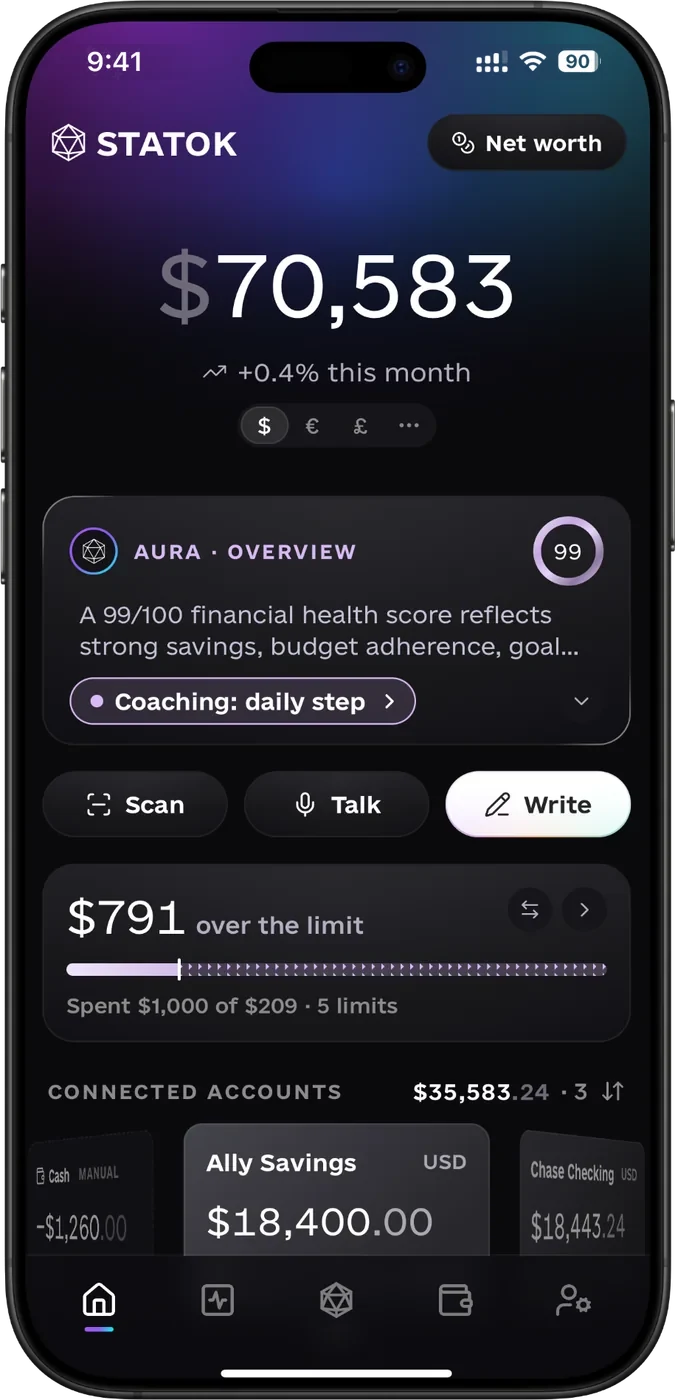
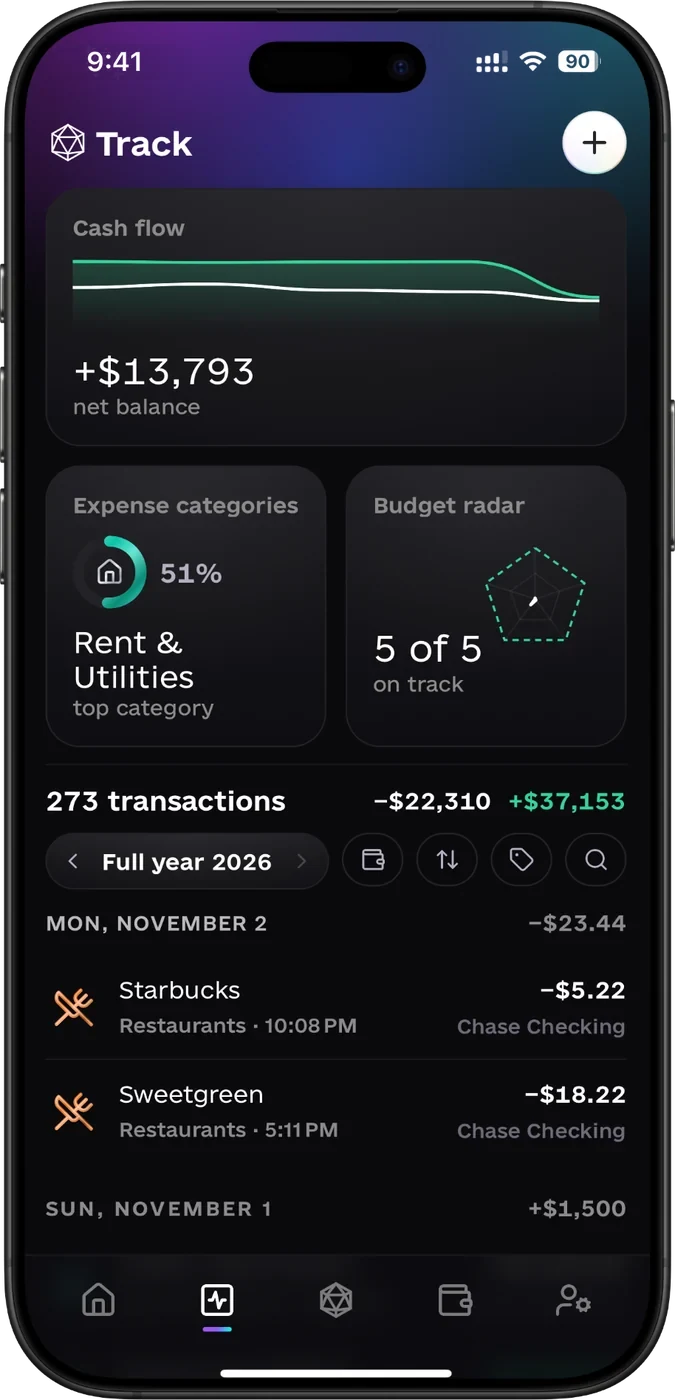
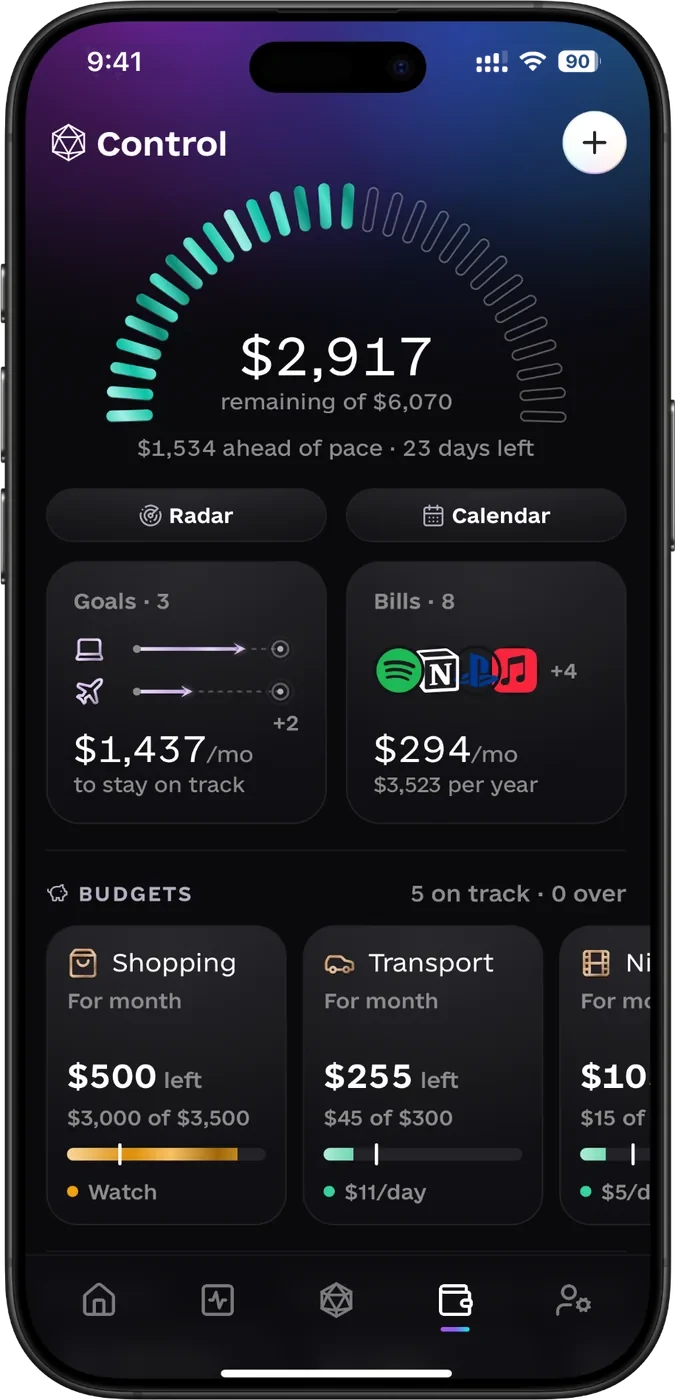
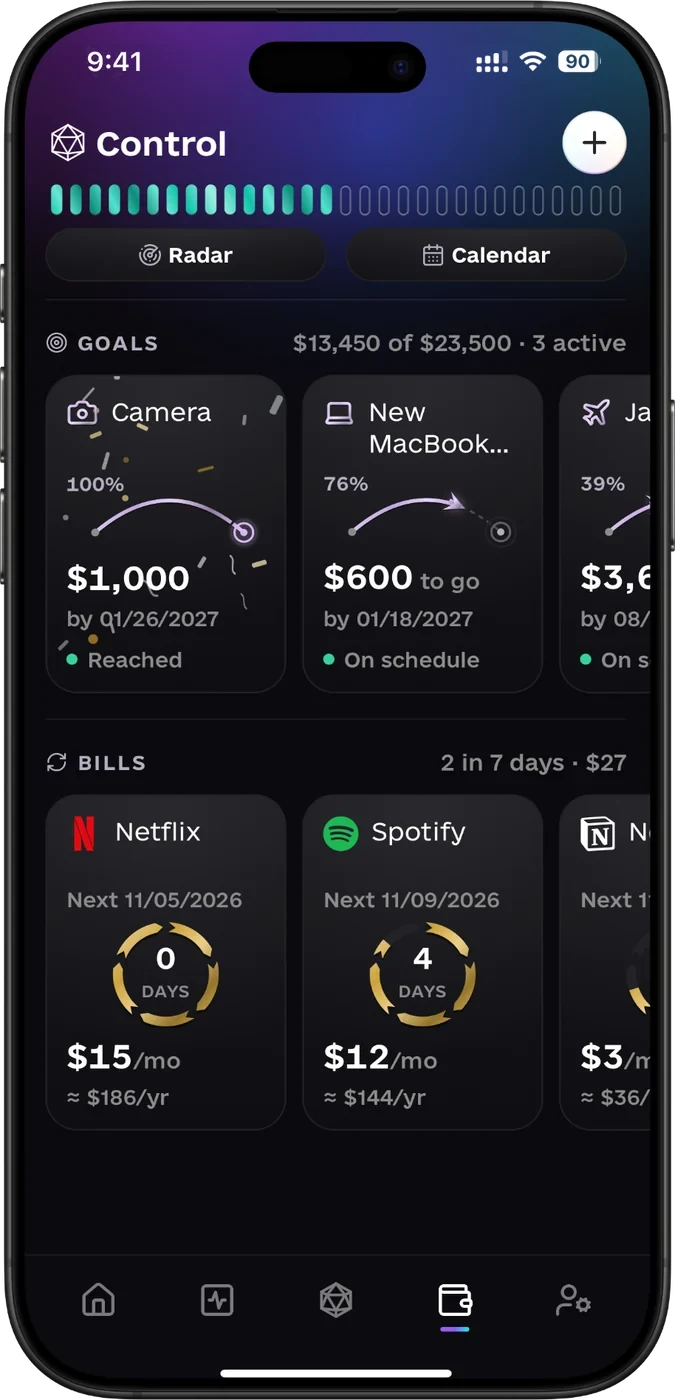
Log it however you like. Typing is optional.
- Say itSeveral expenses, one sentence.
- Scan itShop, total and every item.
- Import itExcel, CSV or PDF in a minute.
Unlock Aura Pro Tools.
Can I afford it? See what happens before you pay.
Pro $2.99 a month or $24.99 a year, first 7 days free. Or $39.99 once, for life.
Purchase planningPro

50/30/20 rule How your spending splits into needs, wants and savings.Free
- Needs39% / 50%
- Wants14% / 30%
- Savings47% / 20%
Savings are 47% against a 20% target. You're well ahead.
- Financial health A score out of 100 for your money, and what would raise it.Free
- Balance forecast Next month's cash flow before it happens.Pro
- Anomaly detection Unusual charges, spending spikes and small recurring payments you'd miss.Pro
- Subscription comparison Every subscription side by side, and what each one really costs you.Pro
Feel the weight of your wealth.
Accounts, cash, real estate, cars. One number that grows month by month.

Whoever owns the data owns the wealth.
October was your most expensive month: $1,252. November is tracking well below it.
- Monthly min
- $571
- Monthly avg
- $962
- Monthly max
- $1,252
Rent takes 44% of what you spend. Small spends come next, and they add up fast.
- Top category
- $2,108
- Transactions
- 262
- Average ticket
- $18
Dining is over its limit. Food is at 77% with 9 days to go.
- Categories with limits
- 5 / 5
- Spend covered
- 69%
- Unlimited spend
- $0

Your data is yours.
- Never sold never used to train AI
- Full deletion any time, one tap
- Stealth mode pull down to hide every amount
Guides: get your money sorted.
Debt Snowball vs Avalanche: Which Should You Use?
Snowball pays the smallest debt first; avalanche targets the highest interest rate. Compare both methods and find the one you'll actually stick with.
How to Calculate Your Net Worth (Step by Step)
Net worth is what you own minus what you owe. Learn the formula, try a worked example and see how STATOK keeps the total up to date.
How to build an emergency fund, even on a tight budget
How much to keep in an emergency fund, a first target you can actually reach, where to keep it, and what to do first if you also have debt.
Questions about STATOK.
How does STATOK track expenses without typing everything in?
Say what you spent, snap the receipt or type it in. STATOK is an expense tracker app that sorts spoken and scanned expenses into categories for you. Apple Pay taps and bank texts come in through the Shortcuts app, and so do bank notifications (iOS 27). For the habit side, read how to track your spending without giving up.
How do I set up a monthly budget in STATOK?
On the Control tab, give each category a monthly, weekly or daily limit. STATOK shows what you can spend today and warns you before you go over. If you are not sure how to split your income first, start with the 50/30/20 rule.
Can I track savings goals in STATOK?
Yes. Set an amount and a date, and STATOK works out how much to put aside each month. Cover your essentials and minimum debt payments first, build a small cushion of about a month of essentials, and clear high-interest debt like credit cards before saving for wants. In a tight month, a small amount still counts. More in how to build an emergency fund.
How do I calculate my net worth?
Net worth is what you own minus what you owe. Add your accounts, cash, property, car and any loans or mortgage to STATOK, and the Net worth screen does the math and shows how the total moves month by month. Step by step: how to calculate your net worth.
How do I find subscriptions I forgot about?
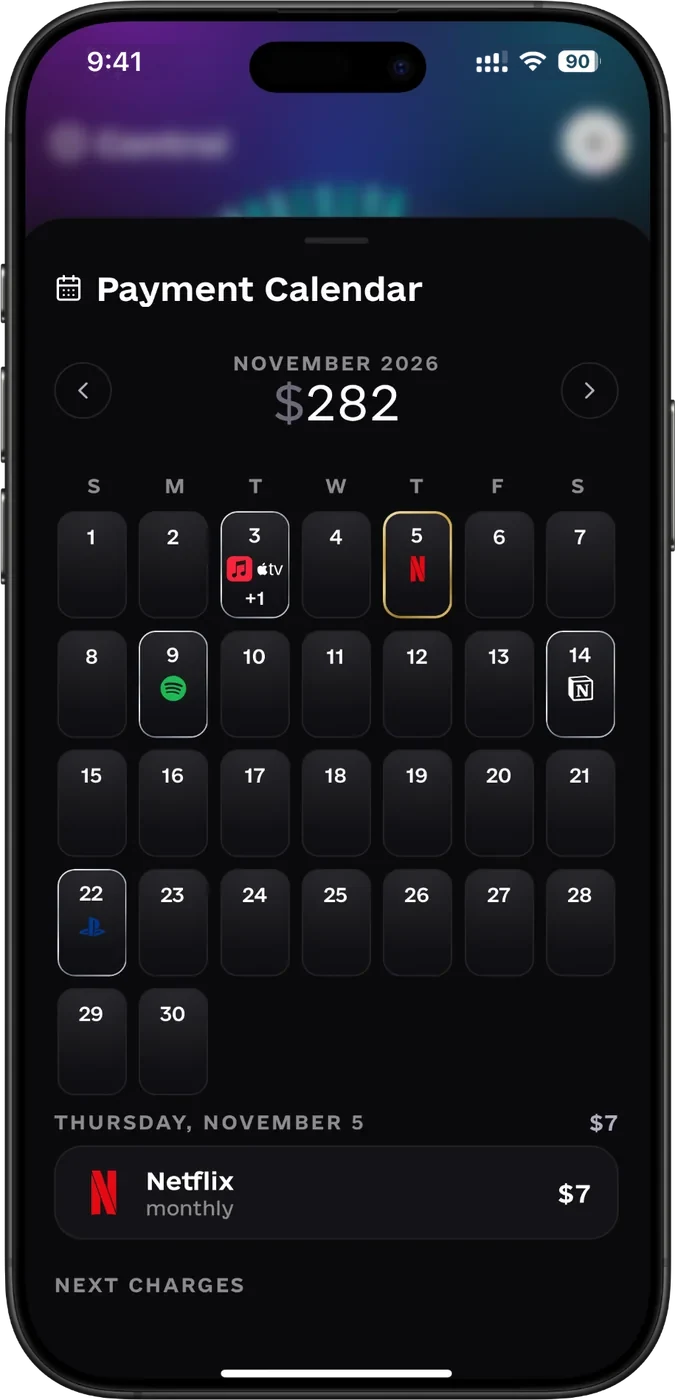
You cancel a subscription with the service itself or in your iPhone’s subscription settings; STATOK doesn’t cancel anything for you. What it does: the Payment Calendar shows every bill you track, you can turn on a reminder 1, 3 or 7 days before each charge, and STATOK flags a price rise. With Pro, Aura spots new recurring charges. Where to look: how to find and cancel forgotten subscriptions.
Does STATOK need access to my bank account?
No. STATOK is a budget app that doesn’t link to your bank account. Spending comes in by voice, receipt scan, Shortcuts for Apple Pay, bank texts and bank notifications (iOS 27), or an Excel, CSV or PDF statement you export from your bank. Your data is stored in the EU under GDPR and never sold. If automatic bank sync matters most to you, an app that offers it will suit you better.
Is STATOK free? How much is Pro?
STATOK is free to download and use, with limits on accounts, budgets, goals, Aura messages, voice, scans and imports. Pro removes every limit: $2.99 a month, $24.99 a year or $39.99 once, for life (US App Store, November 2026). In the UK it’s £2.99 a month, £24.99 a year or £39.99 once (UK App Store, November 2026). The monthly and yearly plans start with 7 days free.
Is STATOK on Android?
Not yet. STATOK runs on iPhone and iPad with iOS 16 or later. Android is coming soon.
Can I use several currencies in STATOK?
Yes. STATOK is a budget app with multiple currencies: it works with 23 at current exchange rates, and the app is available in 10 languages.
Start building
your wealth
Android: coming soon Free to download. Pro from $2.99 a month, with 7 days free.